How to Detect Hardcoded Secrets in GitHub Pull Requests (Before They Reach Production)
How to Detect Hardcoded Secrets in GitHub Pull Requests (Before They Reach Production)
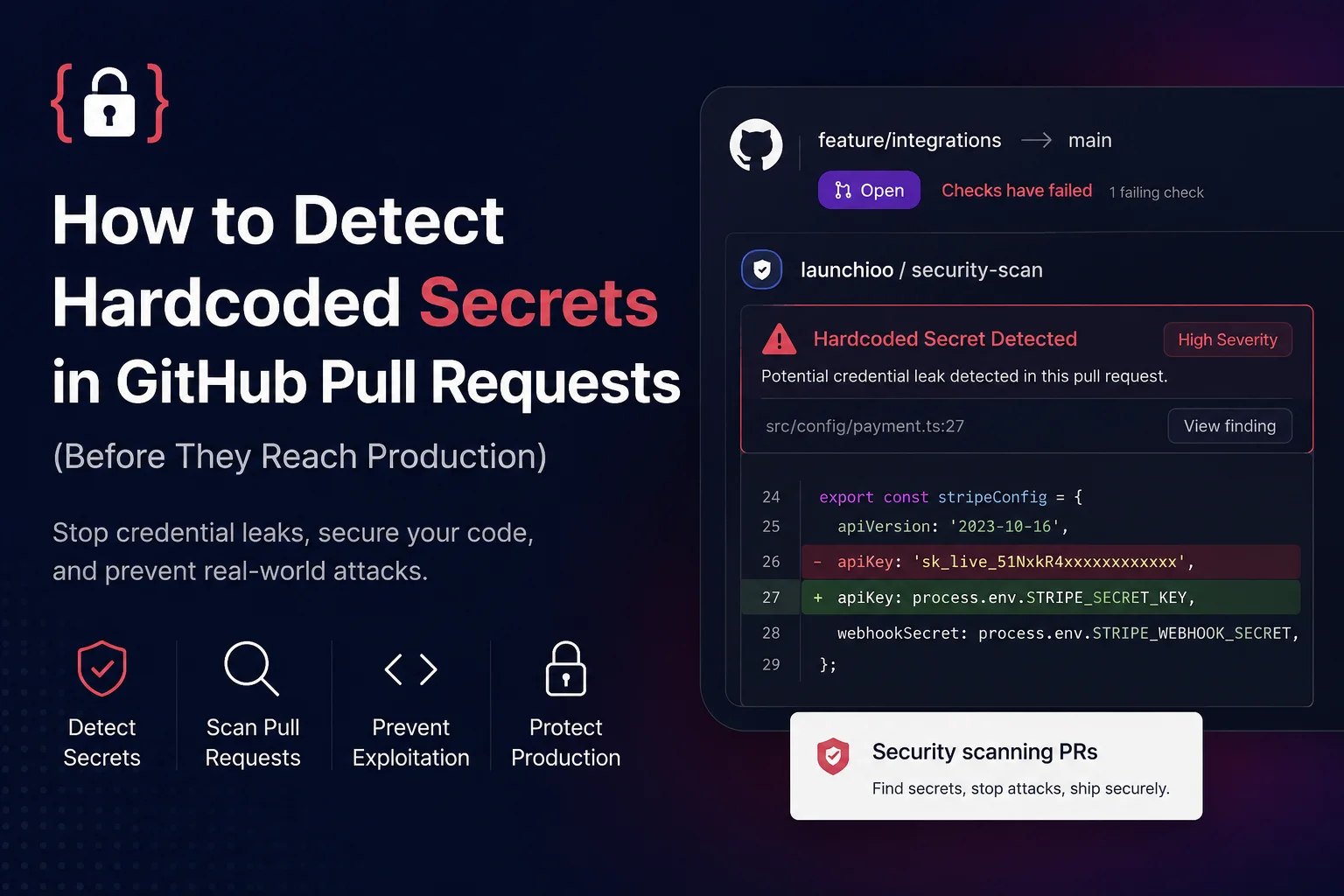
A single line of code can expose an entire production environment.
const apiKey = "sk_live_xxxxxxxxxxxxxxxxxxxxxxxxx";
It looks harmless.
Maybe it was added while testing an integration. Maybe it was copied from a .env file to speed up debugging. Maybe it was only supposed to exist for a few minutes before being removed.
Then the pull request gets merged.
Within minutes, automated bots scanning GitHub can discover the credential. If it's still valid, attackers don't need to exploit a vulnerability—they already have the keys.
Credential leaks remain one of the most common causes of cloud compromises because they remove the hardest part of an attack. Instead of finding a way into your application, an attacker authenticates using credentials that your own code accidentally exposed.
GitHub reported that more than 29 million secrets were detected across repositories during 2025, demonstrating that accidental credential exposure remains a widespread problem for development teams of every size.
A leaked secret can lead to:
- Unauthorized access to cloud infrastructure
- Database compromise
- API abuse and unexpected billing
- Source code theft
- Supply chain attacks
- Incident response, credential rotation and service downtime
The frustrating reality is that most of these incidents aren't caused by sophisticated attackers—they're caused by ordinary pull requests that nobody realised contained sensitive information.
That's why modern development teams scan pull requests before merge instead of relying on manual code review alone.
In this guide you'll learn:
- Why hardcoded secrets still make it into production
- Which credentials attackers actively search for
- Why code reviews frequently miss them
- How GitHub pull request security scanning detects exposed secrets automatically
- Best practices for preventing credential leaks
- How Launchioo helps stop secrets reaching your default branch
Why Developers Accidentally Commit Secrets
Almost nobody commits secrets deliberately.
Most leaks happen during normal development.
A developer wants to test a payment provider, an OAuth integration or a third-party API. Rather than updating environment variables, they temporarily paste a credential into the code.
const stripeSecret = "sk_live_51Nxxxxxxxxxxxxxxxx";
The feature works.
The developer opens a pull request.
Review feedback focuses on naming, formatting and tests.
The temporary credential stays in the code and eventually reaches the repository.
Secrets appear in more places than many teams realise.
Configuration files:
export default { apiKey: "AIzaSyxxxxxxxxxxxxxxxx", endpoint: "https://api.example.com" };
Test fixtures:
const mockUser = { token: "ghp_xxxxxxxxxxxxxxxxxxxxxxxxx" };
Environment examples:
DATABASE_URL=postgres://admin:[email protected]
Docker files.
GitHub Actions workflows.
Terraform variables.
Shell scripts.
Even documentation.
Every one of these locations has resulted in real-world credential leaks.
Many developers assume a private repository is enough protection.
It isn't.
Private repositories are cloned, mirrored, backed up, shared with contractors and sometimes made public by mistake. Once a secret enters Git history, removing the line from the latest commit doesn't remove it from previous commits, forks or local clones.
The safest approach is preventing secrets from being committed in the first place.
Why Hardcoded Secrets Are So Valuable to Attackers
Most vulnerabilities require effort to exploit.
Hardcoded secrets usually don't.
An exposed AWS access key may immediately grant access to cloud infrastructure.
A GitHub Personal Access Token can allow attackers to clone repositories, modify code or trigger CI/CD pipelines.
A leaked database password may expose sensitive customer information without exploiting a single software bug.
Attackers automate the discovery process.
Large numbers of bots continuously monitor public repositories for patterns matching:
- AWS access keys
- GitHub Personal Access Tokens
- Stripe secret keys
- OpenAI API keys
- Google Cloud credentials
- Azure connection strings
- JWT signing secrets
- Private SSH keys
- Database connection strings
Many of these credentials are validated automatically within minutes of appearing online.
If they work, they're either exploited immediately or added to collections of compromised credentials sold on underground marketplaces.
From an attacker's perspective, a leaked credential is often worth more than a software vulnerability because it provides direct access without triggering alarms associated with exploitation.
The Real Cost of One Forgotten API Key
Imagine a developer commits this during testing:
const OPENAI_API_KEY = "sk-proj-xxxxxxxxxxxxxxxx";
Nobody notices.
The pull request is approved.
A week later the repository is made public.
An automated crawler discovers the key.
Thousands of requests are sent using your account.
Now the engineering team has to:
- Rotate every affected credential
- Review audit logs
- Identify unauthorized access
- Redeploy production services
- Update deployment pipelines
- Investigate potential data exposure
- Explain the incident internally
The original mistake took less than ten seconds.
Recovering from it can take days.
Why Manual Code Review Isn't Enough
Most pull request reviews focus on software quality rather than security.
Reviewers naturally ask questions such as:
- Does the feature work?
- Are the tests passing?
- Is the code maintainable?
- Will this introduce bugs?
Very few reviewers inspect hundreds of changed lines looking for credentials hidden inside string literals.
Consider this pull request:
- const token = "ghp_aBc123XXXXXXXXXXXXXXXX";
To a reviewer, it's just another added line.
To Launchioo, it represents a potential credential leak.
Instead of matching a single regular expression, Launchioo analyses:
- Known credential formats
- Entropy
- Variable names
- Surrounding context
- File type
- Secret confidence
- Rule-specific validation
That allows it to detect genuine secrets while dramatically reducing false positives caused by placeholder values, documentation examples or randomly generated identifiers.
The result is simple: developers receive fewer noisy alerts and spend more time fixing real security issues.
How Automated Secret Detection Actually Works
Finding secrets isn't as simple as searching for long strings.
If it were, developers would be overwhelmed with thousands of false positives every day.
Consider these three examples.
const apiKey = "YOUR_API_KEY_HERE";
const id = "550e8400-e29b-41d4-a716-446655440000";
const stripeKey = "sk_live_51NxkR4xxxxxxxxxxxxxxxx";
All three are long strings.
Only one is actually dangerous.
Modern security scanners use several techniques together to determine whether something is likely to be a real credential.
Pattern Matching
Some credentials follow well-known formats.
Examples include:
- GitHub Personal Access Tokens
- AWS Access Keys
- Stripe Secret Keys
- Slack Tokens
- OpenAI API Keys
- Google Cloud Keys
- Azure Connection Strings
Rather than searching for random text, scanners recognize the structure of each credential type.
That dramatically improves accuracy.
Entropy Analysis
Secrets usually look random.
Compare these two values.
YOUR_API_KEY_HERE
AKIAIOSFODNN7EXAMPLE
The second contains much higher entropy.
Entropy measures how unpredictable a string is.
Random-looking strings deserve much closer inspection than ordinary words.
Good scanners combine entropy with pattern recognition rather than relying on either technique alone.
Context Matters
This code deserves attention.
const stripeSecret = "sk_live_51xxxxxxxxxxxxxxxx";
This probably doesn't.
const placeholder = "YOUR_STRIPE_SECRET";
Likewise, a long string assigned to:
password
secret
token
authorization
privateKey
jwt
should receive a much higher confidence score than one assigned to:
title
description
example
placeholder
Context dramatically reduces false positives.
File Type Awareness
Where a credential appears is almost as important as the credential itself.
For example:
.env
deserves far more attention than
README.md
Likewise:
- GitHub Actions workflows
- Dockerfiles
- Terraform files
- Kubernetes manifests
- deployment.yaml
often contain production secrets that deserve higher severity.
A scanner that understands file types produces far more useful findings than one that treats every file equally.
Why Regex Alone Isn't Enough
Many open-source secret scanners rely almost entirely on regular expressions.
That works well for obvious credentials.
It struggles with everything else.
For example:
const token = process.env.GITHUB_TOKEN ?? "ghp_xxxxxxxxx";
or
const secret = decrypt( config.production.secret );
The dangerous value may not even exist directly inside the source code.
Modern scanners increasingly analyse surrounding context rather than individual lines.
This is one of the reasons Launchioo performs better than simple pattern matching.
Rather than looking at isolated strings, it considers:
- variable names
- execution context
- surrounding code
- confidence scoring
- repository policy
That allows findings to be prioritized more accurately instead of generating hundreds of low-value alerts.
What Happens After a Secret Is Leaked?
Many developers imagine an attacker manually browsing GitHub.
That isn't how most compromises happen.
The process is almost entirely automated.
A typical attack looks like this.
Step 1
A pull request containing a valid credential is merged.
OPENAI_API_KEY= sk-proj-xxxxxxxxxxxxxxxx
Step 2
The repository becomes publicly accessible.
Step 3
Automated crawlers index new commits.
Large organizations run thousands of automated requests every minute searching for exposed credentials.
Step 4
The credential is validated.
If it's active:
- AWS credentials are tested
- GitHub tokens are authenticated
- Database passwords are checked
- API keys are exercised
Inactive credentials are discarded.
Working credentials move to the next stage.
Step 5
The attacker begins using the credential.
That may involve:
- cryptocurrency mining
- data theft
- lateral movement
- creating backdoor accounts
- cloning repositories
- abusing paid APIs
The software itself may never be attacked.
Authentication is enough.
Why Pull Request Scanning Is Better Than Repository Scanning Alone
Many organisations rely entirely on scheduled repository scans.
Those scans are useful.
They're also reactive.
By the time a nightly scan discovers a leaked secret, the code may already have been merged.
Pull request scanning changes that workflow.
Instead of detecting problems after they reach the default branch, the scan runs while the code is still under review.
The developer can fix the issue immediately.
No credential rotation.
No incident report.
No Git history cleanup.
No production deployment containing sensitive information.
For most teams, preventing the mistake is dramatically cheaper than cleaning it up afterwards.
How Launchioo Detects Secrets Before Merge
Launchioo was designed to fit naturally into the GitHub pull request workflow.
When a pull request is opened or updated, Launchioo analyses the changes before they reach your default branch.
Secret detection is only one part of the scan.
The engine also checks for:
- Server-Side Request Forgery (SSRF)
- Cross-Site Request Forgery (CSRF)
- Cross-Site Scripting (XSS)
- Command Injection
- Authentication Bypass
- Supply Chain Risks
- Dangerous Redirects
- Weak Cryptography
- Taint Flow
- Multi-step Exploit Chains
Rather than simply reporting a secret, Launchioo provides the information needed to fix it quickly.
Each finding includes:
- file path
- line number
- severity
- exploit category
- confidence score
- remediation advice
For example:
src/auth/login.ts:42
Hardcoded JWT Secret
Severity: Critical
Exploit: Credential Exposure
Recommendation: Move the secret into an environment variable and rotate the exposed credential immediately.
Developers can address the issue before merge, keeping the repository history clean.
Repository Audits Catch What Pull Requests Can't
Pull request scanning protects future code.
Repository audits protect existing code.
That's why Launchioo Pro includes full repository security audits.
Instead of analysing only changed files, Launchioo scans the entire codebase for:
- exposed credentials
- insecure network calls
- authentication weaknesses
- supply chain issues
- exploit chains spanning multiple files
The result is a complete security posture for the repository, including:
- Security Score
- Risk Index
- Severity Breakdown
- Top Rule Violations
- Security Debt
- Historical Trends
This makes it easy to see whether security is improving over time rather than simply counting today's findings.
Best Practices for Preventing Hardcoded Secrets
No security scanner can replace good development practices.
The goal isn't to detect every leaked credential after it's written. The goal is to make leaking one as difficult as possible.
The teams that experience the fewest credential leaks usually follow a handful of simple habits consistently.
1. Never Store Production Credentials in Source Code
It sounds obvious, yet this remains one of the most common security findings across GitHub repositories.
Avoid this:
const jwtSecret = "my-production-secret";
Instead:
const jwtSecret = process.env.JWT_SECRET;
The application still works exactly the same, but the secret now lives outside the repository.
Modern deployment platforms like Vercel, Netlify, GitHub Actions and most cloud providers all support encrypted environment variables, making this straightforward to implement.
If a repository is cloned, shared or accidentally exposed, the credential isn't.
2. Rotate Secrets Regularly
A leaked credential doesn't become dangerous the day it's committed.
It becomes dangerous the day someone discovers it.
If your production API key has existed unchanged for three years, any accidental exposure during that time remains valid today.
Regular rotation limits that window.
Many cloud providers now support automatic credential rotation, allowing applications to receive fresh credentials without manual intervention.
Even if a secret is accidentally exposed, it becomes useless once rotated.
3. Keep Development and Production Credentials Separate
One mistake often leads to another.
Developers sometimes copy production credentials simply because they're available.
Instead, create dedicated credentials for:
- Local development
- Testing
- Staging
- Production
Each environment should have its own permissions.
If a development key is compromised, the attacker shouldn't gain access to production systems.
Least privilege applies to credentials just as much as it applies to user accounts.
4. Be Careful With Example Code
Documentation frequently becomes the source of accidental leaks.
Consider this README.
DATABASE_URL=postgres://admin:[email protected]
It may have started life as an example.
Months later, nobody remembers replacing it with a placeholder.
Instead, use obvious dummy values.
DATABASE_URL=postgres://username:password@localhost/database
or
YOUR_DATABASE_URL_HERE
This makes it immediately obvious that no real credential is present.
5. Review Configuration Files Carefully
Developers naturally focus on application code.
Attackers don't.
Configuration files are often far more valuable.
Examples include:
.env
.env.production
docker-compose.yml
terraform.tfvars
deployment.yaml
.github/workflows
Many real-world leaks originate from these files rather than application logic.
During code review, treat configuration changes with the same level of scrutiny as production code.
6. Scan Every Pull Request
Manual reviews are excellent at spotting logic errors.
They're much less reliable at spotting credentials hidden among hundreds of changed lines.
Security scanning fills that gap.
Rather than relying on someone noticing:
`+ const awsSecret =
- "AKIAxxxxxxxxxxxxxxxx"`
an automated scan highlights the finding immediately.
Because the scan runs before merge, developers can remove the credential before it becomes part of the repository history.
That's considerably easier than rotating production credentials after deployment.
7. Don't Ignore Low-Severity Findings
One of the biggest mistakes teams make is assuming only critical findings matter.
Today's low-severity issue can become tomorrow's incident.
For example:
console.log(process.env.JWT_SECRET)
might initially be classified as a low or medium finding.
Combined with verbose logging in production, it suddenly becomes far more serious.
Security isn't just about individual findings.
It's about understanding how seemingly harmless issues combine.
This is one reason Launchioo analyses exploit chains rather than treating every finding in isolation.
What Happens If You Accidentally Commit a Secret?
It happens more often than most teams admit.
The important thing is responding quickly.
If a secret has already been committed:
1. Rotate the credential immediately.
Don't wait to determine whether it has been abused.
Assume it has.
2. Replace the credential with an environment variable.
Never simply delete the line.
The application still needs a secure way to access the value.
3. Check your Git history.
Deleting a secret from the latest commit doesn't remove it from previous commits.
Anyone with access to the repository history may still be able to retrieve it.
4. Audit recent activity.
Review logs for unusual authentication attempts, API usage or cloud activity that occurred after the secret was committed.
5. Identify the root cause.
Ask why the secret reached the repository in the first place.
Was there:
no pull request scanning? no code review? no secret management process? missing environment variables? poor developer documentation?
Fixing the underlying process is more valuable than fixing a single leak.
Security Starts Before Code Is Merged
Most credential leaks aren't sophisticated.
They're ordinary mistakes made during ordinary development.
Someone copies an API key.
Someone forgets to remove a temporary token.
Someone commits a .env file by accident.
None of these developers intended to create a security incident.
The problem is that Git never forgets.
Once a secret becomes part of your repository history, cleaning it up is significantly harder than preventing it from being committed in the first place.
That's why modern development teams increasingly treat security as part of the pull request process rather than something that happens after deployment.
By scanning every pull request before merge, issues can be identified while the code is still under review, when they're quickest and cheapest to fix.
Launchioo integrates directly with GitHub to analyse every pull request for exposed credentials, SSRF, CSRF, injection flaws, exploit chains, supply chain risks and more than 50 deterministic security rules. Findings appear directly inside GitHub with file paths, line numbers, confidence scores and remediation guidance, allowing developers to fix problems before they reach production.
If you'd like to see how Launchioo works, you can:
Learn more at Launchioo
Install the GitHub App at Launchioo Install
Sign in to your dashboard at Launchioo login
Finding a leaked secret after deployment is a security incident.
Finding it inside a pull request is just another code review comment.
The difference can save hours of incident response—and sometimes much more.
For a complete guide on pull request security read our guide
Try Launchioo on your repositories
Install the GitHub App and get automated pull request security reviews in minutes.